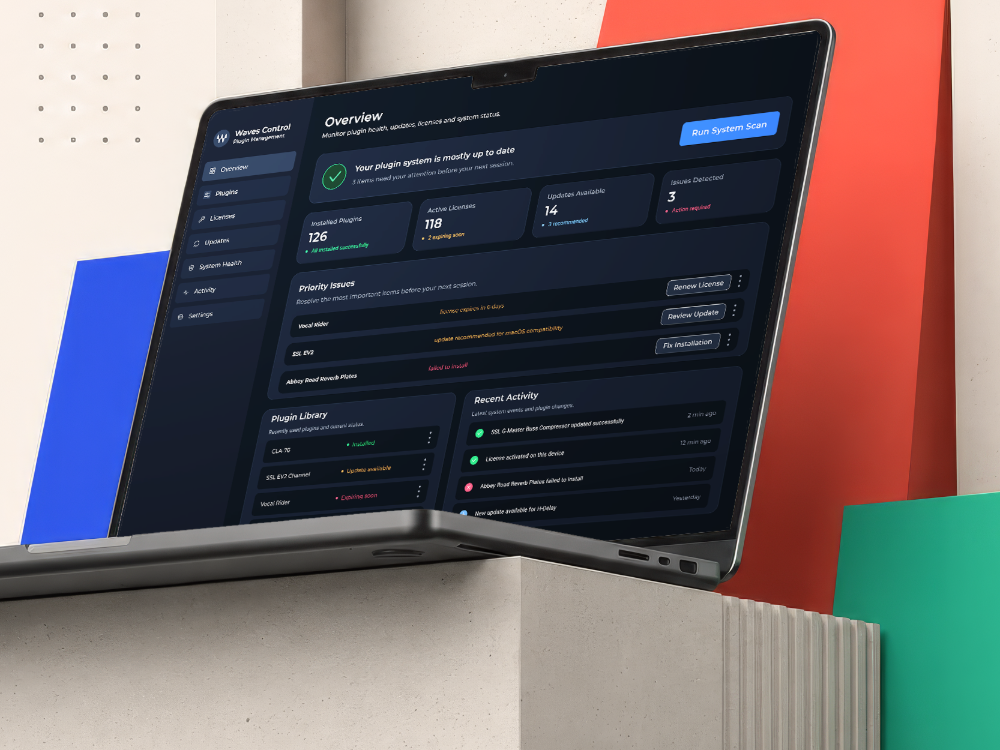

Problem
Mix reviews often involve multiple versions, scattered feedback, and several people working across different tools.
Product Goal
Create one shared workspace that keeps mix versions, feedback, approval status, and production tasks organized in a clear review flow.
Core Users
Mix engineers, producers, creative leads, clients, artists, and production teams involved in reviewing and approving mix versions.
Product Value
MixRoom reduces version confusion, centralizes feedback, and helps teams move from review to approval with more clarity and less friction.
Information Architecture
The product is structured around the main mix review workflow: managing projects, organizing mix versions, collecting client feedback, tracking approval status, and following production tasks.
Dashboard
Overview of active projects, review progress, pending feedback, and recent activity.
Projects
Organize and manage all active mix review projects in one place.
Mix Versions
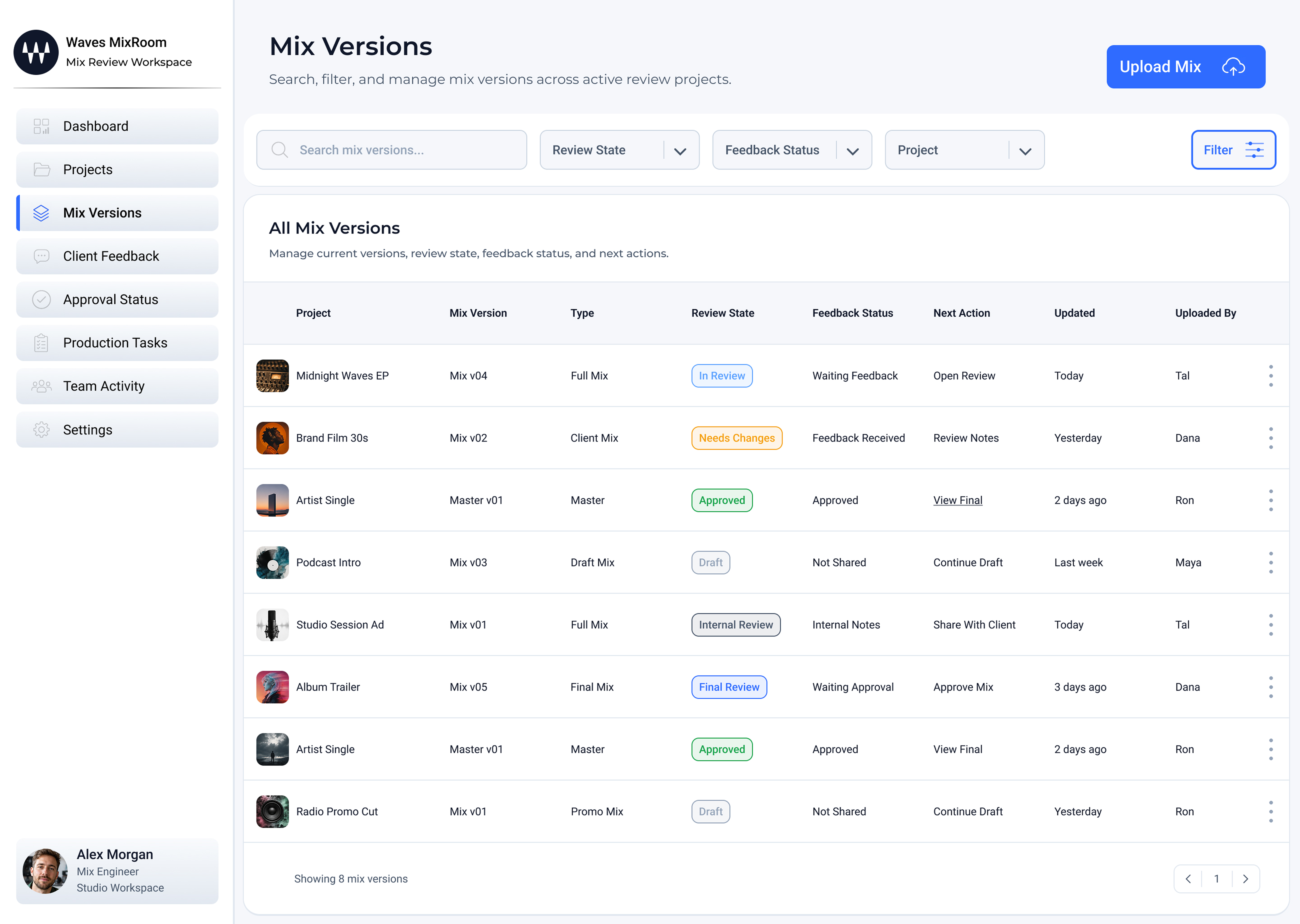
Upload, compare, and manage different mix versions across review rounds.
Client Feedback
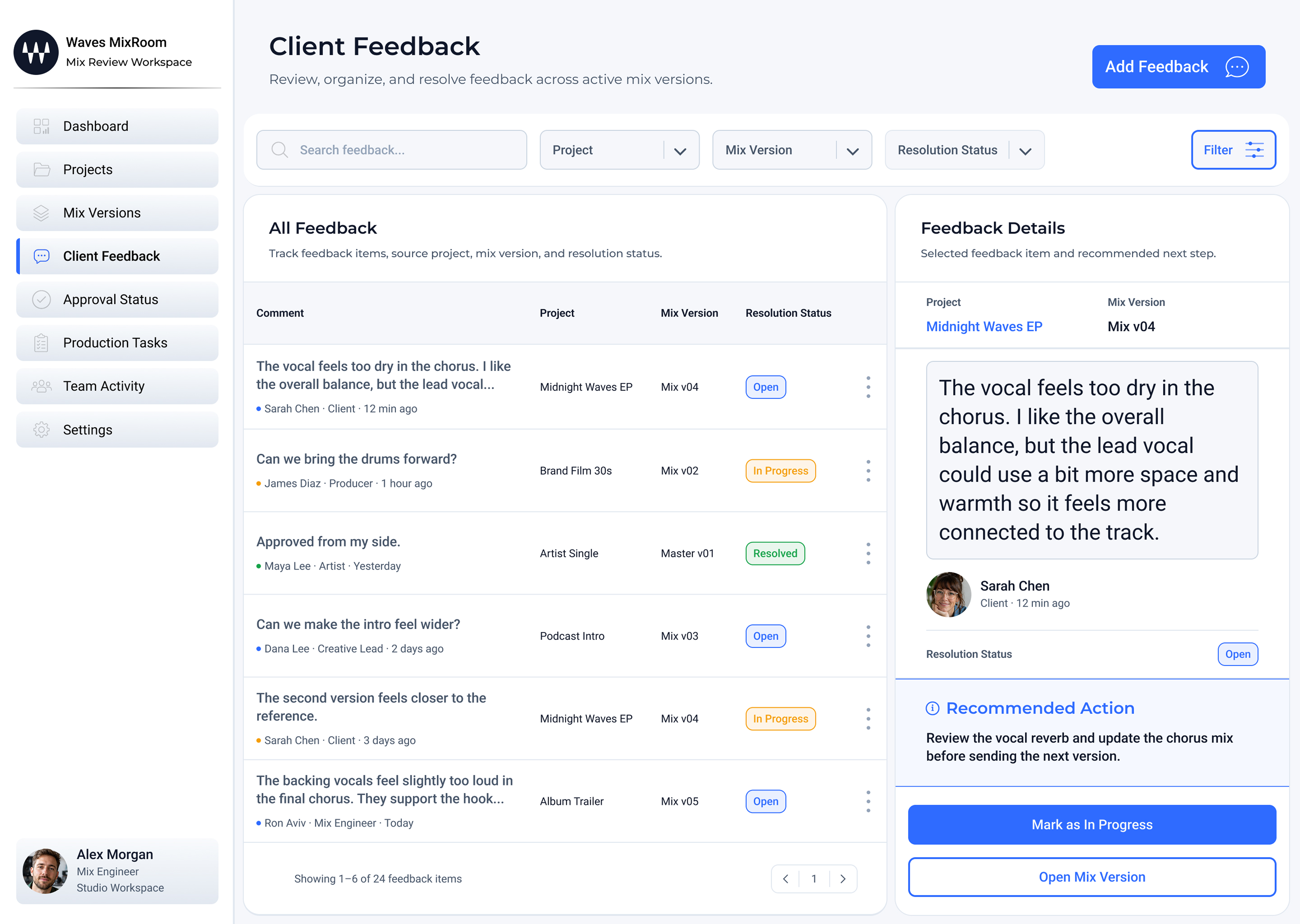
Collect, review, and resolve feedback connected to specific mix versions.
Approval Status
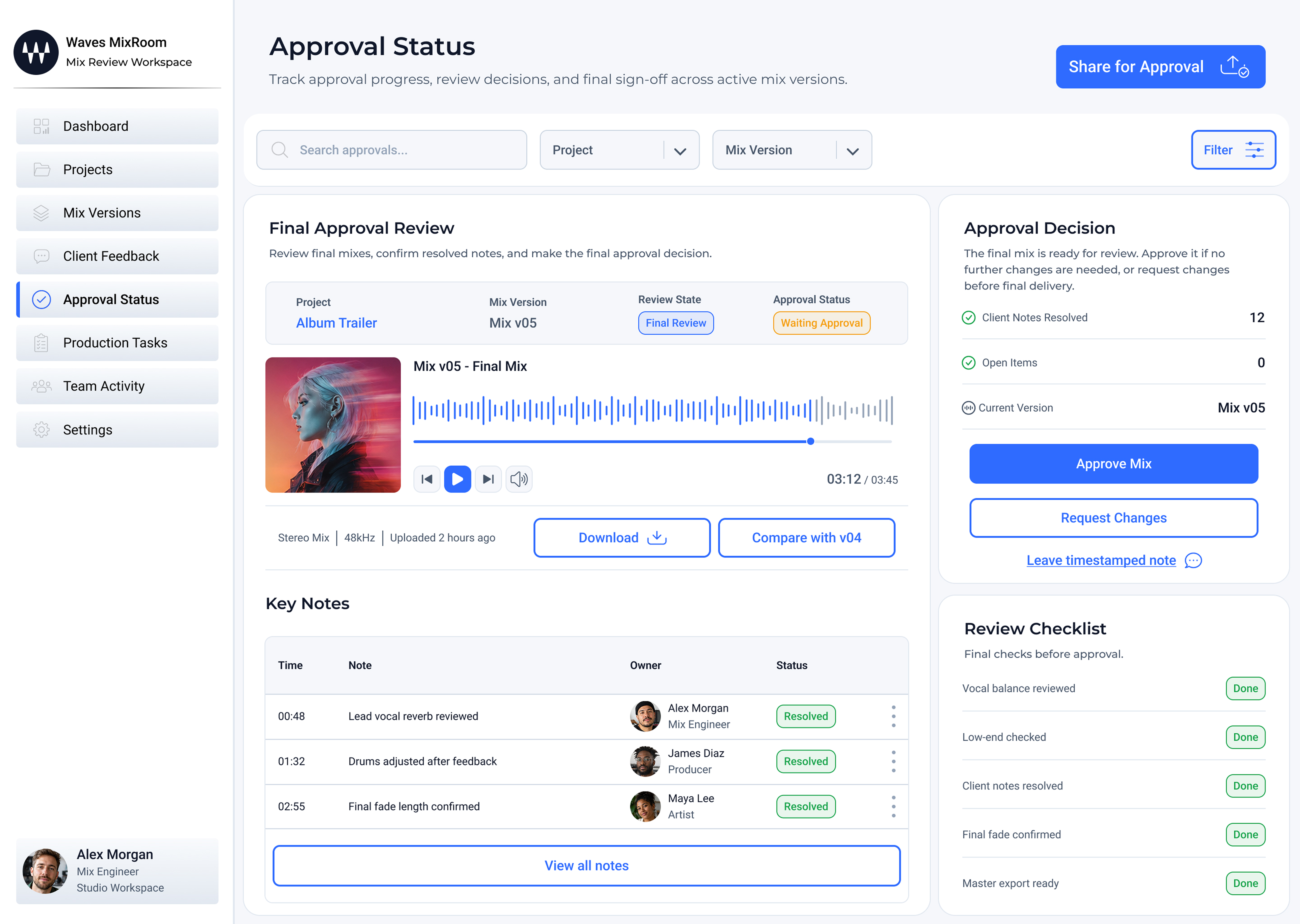
Track what is approved, what needs changes, and what is still waiting for feedback.
Production Tasks
Manage requested changes, ownership, deadlines, and production follow-ups.
Mix Version Details
Review a specific mix version with playback, comments, files, and version notes.
Team Activity
See recent project updates, feedback activity, version changes, and team actions.
Settings
Manage workspace preferences, team access, permissions, and project settings.
Key Product Screens
A walkthrough of the workspace — from the project dashboard and mix versions to centralized client feedback and the final approval view.

Design System
The MixRoom design system supports a professional desktop workspace through clear hierarchy, structured tables, status indicators, review cards, and reusable workspace patterns.
Color System
A light workspace palette supports clear project review, readable tables, visible status states, and focused approval workflows.
Typography
Montserrat creates a clear dashboard hierarchy, while Roboto keeps body text, tables, and supporting interface copy readable.
Design Outcome
A scattered review process becomes a structured collaborative workspace.
Waves MixRoom helps teams manage mix versions, collect feedback, track approval status, and move projects toward final delivery with more clarity — keeping every decision connected to the right version.
Final Takeaway
Complex creative review workflows become easier to manage when versions, feedback, tasks, and approval decisions are brought into one focused product experience.
MixRoom shows how a shared workspace can turn scattered review activity into a clearer path from feedback to final approval.